
Magic Fluids
Mad ScientistEntertainment
4.92.29K Reviews
- Version
- 2.3.5
- Installs
- 100.00K
- Age Rating
- Everyone
Screenshots
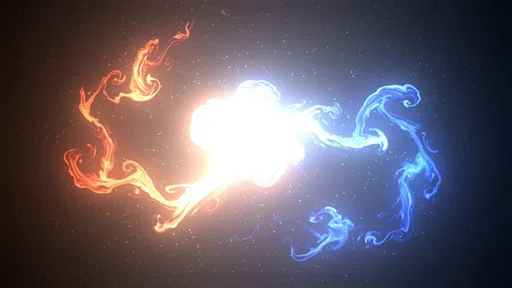
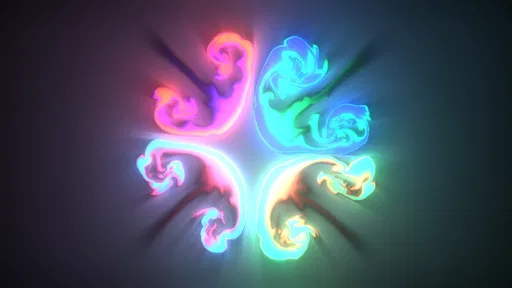
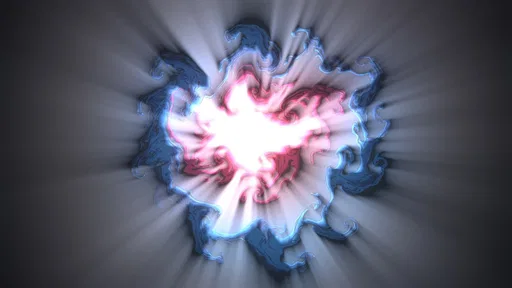
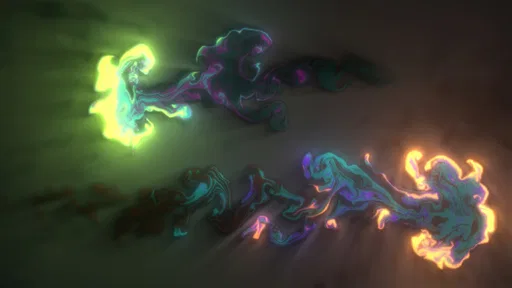
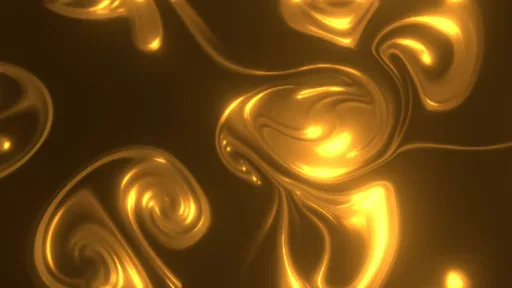
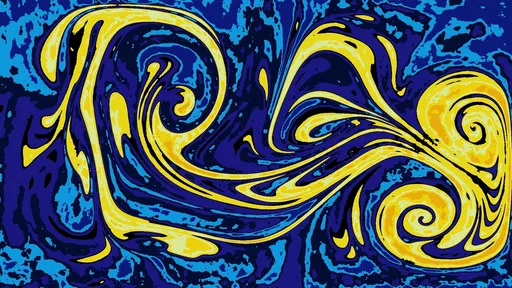

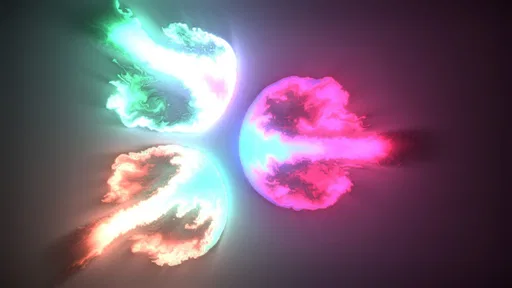
Our Review of Magic Fluids
 Analysis by Appyee
I use Magic Fluids when I want something visual to do without committing to a game, a playlist, or a long creative project. A few touches turn the screen into shifting ribbons and pools of color, and watching them change can be calming in a way that is easy to dip into between other things. It is an entertainment app from Mad Scientist, but its appeal is less about having a goal and more about choosing the mood I want from the movement and color.
A simple routine that makes the experience better
My most reliable way to use a fluid-painting app is to begin with a light touch rather than swiping all over the screen immediately. I let the colors settle into a pattern, then make one or two deliberate gestures and watch how the image responds. That small pause matters: constant input can turn a delicate flow into visual noise, while slower interaction gives the shapes room to develop.
For a short reset during the day, I keep the session simple: open the app, pick a look that feels comfortable, and let the screen run for a minute before adding movement. If I am using it to relax, I avoid trying to produce a picture worth saving. Treating it as a changing visual scene, rather than an art task, takes away the pressure to make every touch count.
Settings to explore without overcomplicating things
The customization is most useful when I change one element at a time. A different palette can shift the atmosphere dramatically, while particle size and movement speed affect how busy or gentle the result feels. Changing several controls at once may produce an interesting surprise, but it also makes it harder to work out which choice created the effect I liked.
I recommend making a mental note of combinations that suit particular moments. Softer colors and slower movement can work well when I want a quiet background; brighter colors and more energetic motion feel better when I want to play with the screen. These are not fixed modes, just practical ways to use the available controls. If the picture becomes too intense, I change one setting or pause my gestures instead of trying to correct everything at once.
Small habits for more satisfying sessions
Touch interaction is the main creative tool, so the pattern of your gestures matters as much as the settings. Short strokes create a different feel from broad sweeps, and leaving parts of the display untouched can preserve a calmer contrast. I find that alternating a brief burst of movement with a few seconds of observation gives the fluid effect more room to surprise me.
There is also a useful distinction between making something to look at and using the app as a hands-on toy. For the first, I make a few controlled gestures and then stop; for the second, I keep experimenting and accept that the screen may become crowded. Choosing which kind of session I want before I start helps me avoid the familiar loop of endlessly changing settings without enjoying the result.
Who will enjoy it, and who may want something else
This is a good fit for anyone who likes ambient visuals, casual creative play, or a brief screen-based pause. It can also suit a shared moment: a child can explore how touches push colors around while an adult keeps the activity open-ended. The age rating is Everyone, though I would still treat it as a visual toy rather than a structured learning activity or a substitute for a game with clear goals.
If you want layers, brushes, precise control, and a finished image you can refine, a conventional drawing app is the better choice. If you want challenges, progression, or a reason to return to a particular level, a game will offer more structure. The appeal here is immediacy: there is no need to plan a composition, and the changing patterns are the activity. That also means it may not hold the attention of someone who needs concrete goals or lasting creative output.
Where it fits in an ordinary day
A realistic use is taking a short screen break after finishing a task: I open the app, choose a restrained color combination, make a couple of slow movements, and leave it alone while I take a breath. It works best as a small pause, not as a promise of deep meditation or a replacement for stepping away from a screen. If I am already tired of looking at my phone, a walk or a few minutes without a device is the more sensible option.
Sound can change the feel of a session, and the app includes background music. I would decide whether I want that before settling in: if I am listening to something else or using the app in a quiet place, I may prefer to keep the experience visual. For a more immersive moment, pairing the moving colors with the soundtrack can make the screen feel less like a control panel and more like an atmosphere.
Practical trade-offs before you settle in
Because this is an interactive visual experience, it is not the right companion for every situation. A bright, moving display can be distracting when you need to concentrate, and an extended session is still screen time even if it feels restful. I also would not rely on it as a hands-free ambient display: the distinctive part is being able to influence the flow, so the experience is strongest when you choose to engage.
Like other visually intensive apps, long sessions can use more battery than a static screen. I keep that in mind if I am away from a charger or using it while travelling. The simplest workaround is to treat it as a short creative break rather than leaving it running for ages. That approach also helps the visual effect stay fresh instead of becoming background motion I stop noticing.
What the purchase and popularity tell you
Magic Fluids costs $2.50, so I would think of it as a small paid visual toy rather than a free trial of a larger art suite. Its average rating is 4.9 from around 9,200 ratings, with about 2,300 written reviews and over 100,000 installs. Those figures suggest that many people enjoy the focused concept, but they do not change the central question for me: do you want an open-ended flow of color, or do you want an app with a more defined task?
It was released on March 13, 2013, and its current version is 2.3.3, with Android 5.0 as the minimum operating system. The age rating is Everyone. I would check that the device meets the minimum before choosing it, then decide whether an intentionally simple experience is what I want. The app does not need a complicated routine to make sense; its value comes from how quickly I can move from opening it to interacting with the colors.
What is Magic Fluids?
Magic Fluids is an app that turns your screen into a dynamic, colorful canvas where you can create mesmerizing liquid simulations. Imagine a world where you can paint with fluid movements and watch as colors blend seamlessly, creating patterns that are both calming and captivating. The app is available on both Android and iOS, so everyone can join in the fun.
Getting Started
When I first downloaded the app, I was curious about how an app could replicate the sensation of fluid dynamics. Upon launching the app, I was greeted with a straightforward interface that invited me to dive right in. No complicated tutorials or steep learning curves here – just pure, unadulterated creativity at my fingertips.
The app allows you to choose from various presets or customize your own settings. You can adjust the color palette, particle size, and even the speed of the fluid movements. It’s like having a little universe in your pocket, ready to explode into color at your command.
Features Galore
One of the standout features is the sheer variety of settings you can play around with. Whether you want to create a soothing ocean wave effect or a fiery explosion of colors, the app has got you covered. Here’s a quick rundown of what you can expect:
- Customizable Effects: Tailor the experience to your liking with adjustable settings.
- Interactive Experience: Touch the screen to influence the fluid’s movement in real-time.
- Background Music: Add a soundtrack to your creations for an even more immersive experience.
- High Quality Graphics: Enjoy stunning visuals that make the most of your device’s capabilities.
Each feature is designed to enhance your creative experience, making it easy to lose track of time as you experiment with different combinations.
The Relaxation Factor
I have to say, one of the most surprising aspects is its ability to help me unwind. There’s something inherently soothing about watching the colors flow and blend, almost like a digital lava lamp. Whether you’re looking to destress after a long day or simply want a creative outlet, this app delivers in spades.
I found myself using it as a form of meditation, letting my mind wander as I created ever-changing patterns. It’s a simple pleasure, but one that can provide a much-needed mental break.
Performance and Usability
In terms of performance, it runs smoothly on both Android and iOS platforms. I didn’t experience any lag or glitches, which is crucial for an app that relies on real-time interaction. The user interface is intuitive, making it accessible to both kids and adults.
Battery consumption is reasonable, although, as with any visually intensive app, extended sessions can drain it more quickly. Just something to keep in mind if you’re planning a long creative session.
Final Thoughts
Overall, it is a delightful app that offers a unique blend of art and relaxation. Whether you’re an artist at heart or just someone looking to pass the time with something visually stunning, this app is worth a download.
Give it a try, and you might find yourself captivated by the endless possibilities of fluid art. Just remember to take a break every now and then – it’s easy to get lost in this magical world!
Verdict
Strengths of Magic Fluids
- Mesmerizing visual effects.
- Highly customizable settings.
- Smooth performance on devices.
- User-friendly interface.
- No intrusive ads.
Limitations of Magic Fluids
- Limited free features.
- Occasional crashes reported.
- Battery consumption is high.
- No multiplayer mode.
- Premium content can be pricey.
Similar Picks in This Category
View All
Google Play Games
Google LLC3.9

Netflix
Netflix, Inc.4.8

YouTube Kids
Google LLC4.2

Disney+
Disney4.4

Prime Video
Amazon Mobile LLC4.7

Steam
Valve Corporation3.2
Frequently Asked Questions
What is Magic Fluids and how does it work?
Magic Fluids is an interactive fluid simulation app that allows users to create mesmerizing patterns and animations. By touching the screen, you can manipulate colorful fluids in real-time, creating stunning effects. The app uses advanced algorithms to simulate physics, providing a smooth and engaging experience. It's perfect for relaxation and creativity.
Is Magic Fluids suitable for all age groups?
Yes, Magic Fluids is designed to be user-friendly and accessible for all age groups. Its intuitive interface and calming visuals make it appealing for both children and adults. The app encourages creativity and can be a great tool for stress relief, making it an ideal choice for family-friendly entertainment.
Does Magic Fluids require an internet connection to function?
No, Magic Fluids does not require an internet connection. Once downloaded, the app functions entirely offline, allowing you to enjoy its features anytime and anywhere. This makes it a convenient option for on-the-go use or in areas with limited connectivity.
What are the customization options available in Magic Fluids?
Magic Fluids offers a wide range of customization options to enhance your creative experience. Users can choose from various color palettes, adjust fluid dynamics, and change the interaction settings. This allows for unique and personalized creations. The app also provides preset themes for quick and easy experimentation.
Is Magic Fluids available for both Android and iOS devices?
Yes, Magic Fluids is available for download on both Android and iOS platforms. Users can easily find the app in the Google Play Store or Apple App Store. The app is optimized for a wide range of devices, ensuring a smooth and enjoyable experience regardless of your smartphone or tablet.
